Latest News & Tutorials

Insights on privacy, security, and how to get the most out of your VPN infrastructure.

WireGuard Speed
Technical Guides & Tutorials

How to Build an IKEv2 VPN in Flutter for Android & iOS

How to Build an IKEv2 VPN in Flutter for Android & iOS In the rapidly evolving digital landscape of 2026, privacy is no longer a luxury — it is a fundamental human right. As legacy virtual private network (VPN) protocols become increasingly susceptible to advanced deep packet inspection (DPI), state-level censorship algorithms, and debilitating network degradation, software developers and security architects are turning to more resilient, modern cryptographic alternatives. The modern remote workforce and the proliferation of ubiquitous mobile connectivity demand solutions that do not compromise between security and usability. If you have been looking to engineer a high-performance, enterprise-grade VPN application, combining the Internet Key Exchange version 2 (IKEv2) protocol with the Flutter framework represents the absolute gold standard for connection stability, seamless mobile roaming, and unparalleled cross-platform reach ⚡. This exhaustive report deconstructs the architectural intricacies of building a robust IKEv2 VPN client using Flutter. By leveraging the advanced ikev2 package developed by Orban Tech, developers can bypass the notoriously complex native networking layers of iOS and Android, deploying a unified, high-speed security solution. 1. 📝 Introduction to IKEv2 and the IPsec Framework To understand the power of the ikev2 Flutter implementation, one must first explore the foundational architecture of the protocol itself. The Internet Key Exchange version 2 (IKEv2) is a highly secure, state-of-the-art tunneling protocol developed collaboratively by Cisco and Microsoft. Rather than functioning as a standalone, monolithic encryption protocol, IKEv2 operates as the sophisticated key management and authentication mechanism for the IPsec (Internet Protocol Security) suite. The primary function of IKEv2 is to establish a secure, mutually authenticated communications channel—known within the IPsec framework as a Security Association (SA)—between a mobile client device and a remote VPN gateway. Unlike user-space protocols, the IPsec data plane operates directly at the operating system's kernel level. This kernel-space execution facilitates near-line-speed cryptographic processing, significantly reducing overall computational overhead. 2. 🏆 Why IKEv2 is the Best Choice for Mobile VPN Development The cybersecurity engineering community consistently evaluates three dominant VPN protocols: WireGuard, OpenVPN, and IKEv2. IKEv2 completely dominates the mobile application landscape due to its unparalleled network transition capabilities, battery efficiency, and native integration within modern operating systems. ⚡ Blistering Speed and Low Latency: IKEv2 leverages deep kernel-level IPsec hardware acceleration to deliver sustained throughputs of 400–600 Mbps, making it an exceptional choice for VoIP, streaming, and gaming. 🔋 Unmatched Battery Efficiency: By minimizing the number of cryptographic handshakes required to establish a tunnel, IKEv2 places significantly less active strain on mobile processors. This translates directly into extended battery life. 🛣️ Flawless Cellular Roaming (MOBIKE): IKEv2 natively implements the MOBIKE protocol. When a mobile user physically moves out of range of Wi-Fi and falls back to a cellular network, IKEv2 seamlessly updates the connection without dropping the tunnel. Active calls and downloads remain entirely uninterrupted. Feature / Metric IKEv2 / IPsec WireGuard OpenVPN Codebase Size Moderate / Mature ~4,000 lines ~400,000 - 600,000+ lines Average Throughput 400–600 Mbps 800–900+ Mbps 150–250 Mbps Handshake Latency 1–2 Seconds < 100 Milliseconds 3–8 Seconds Battery Efficiency Excellent (Minimal Drain) Excellent (Minimal Drain) Moderate to High Drain Mobile Roaming Flawless (MOBIKE) Very Good Poor (Requires Reconnect) 3. 💙 Why Choose Flutter for VPN App Development? Flutter has fundamentally revolutionized cross-platform application development. When architecting a complex, system-level application such as a VPN client, the framework provides distinct advantages: 🏎️ Native Performance Execution: Flutter compiles to native binaries, ensuring the UI thread remains entirely decoupled from network latency spikes for a premium 60-120 fps user experience. 🧩 Unified State Logic: Manage the complex lifecycle of a VPN tunnel, dynamic system permissions, and real-time telemetry streams from a single Dart architecture. 🔥 Rapid Iteration: Hot Reload accelerates the time-to-market by orders of magnitude compared to traditional native Swift and Kotlin development. 4. ✨ What Makes This Solution Special? The ikev2 package, specifically engineered by Orban Tech, solves the "last mile" problems of VPN development. It achieves this by interfacing directly with the most mature, heavily audited native IPsec daemons: StrongSwan on Android and native NEVPNManager on Apple platforms. Crucially, the package is aggressively future-proofed. Modern distributions ensure the underlying StrongSwan binaries are compiled to support 16KB memory page sizes (standardized in Android 15 and API level 35+), guaranteeing flawless execution on next-generation devices. 5. 💥 Key Features That’ll Blow Your Mind 🚀 True Cross-Platform Reach: Abstracts severe complexities into a unified API for Android, iOS, and macOS. 📊 Real-Time Traffic Telemetry: Highly optimized streams for tracking byte-level upload and download statistics. 📱 Next-Generation Android Support: Full architectural compliance with API 35+ (16KB page sizes). 🛣️ Advanced Enterprise Authentication: Fully supports robust EAP-MSCHAPv2 credential validation and X.509 certificate-based authentication. 6. 🛠️ Getting Started (It’s Super Easy!) Step 1: Package Installation 📦 Add the package from pub.dev: flutter pub add ikev2 Step 2: Initialize the VPN Instance ⚙️ import 'package:ikev2/ikev2.dart'; final ikev2Vpn = Ikev2Vpn.instance; Future<void> initVpn() async { try { await ikev2Vpn.initialize( vpnName: "Orban Secure Connect", ); } catch (e) { print("Fatal Initialization Failure: $e"); } } Step 3: Prepare the Configuration & Connect 🔌 Future<void> connect() async { try { await ikev2Vpn.startVpn( serverAddress: '147.135.15.16', remoteIdentifier: '147.135.15.16', // Critical: Must match Server ID in certificate localIdentifier: 'client_device_01', username: 'user_secure_8891', password: 'super_secret_password', providerBundleIdentifier: 'com.enterprise.app.WGExtension', ); } catch (e) { print("Failed to initiate secure connection: $e"); } } Future<void> disconnect() async { await ikev2Vpn.stopVpn(); } 7. 📊 Monitoring Status & Traffic // Monitor Connection Status void listenToVpnState() { ikev2Vpn.vpnStageSnapshot.listen((VpnStage state) { print("State Machine Transition: $state"); }); } // Monitor Real-Time Traffic Statistics void listenToTraffic() { ikev2Vpn.trafficSnapshot.listen((TrafficData data) { final double downloadSpeedMbps = (data.downloadSpeedBytes / 1024 / 1024); final double uploadSpeedMbps = (data.uploadSpeedBytes / 1024 / 1024); print("⬇️ Download Speed: ${downloadSpeedMbps.toStringAsFixed(2)} MB/s"); print("⬆️ Upload Speed: ${uploadSpeedMbps.toStringAsFixed(2)} MB/s"); }); } 8. 💻 Platform Configuration & Requirements Platform Minimum Version Architectural Notes Android SDK 21+ Requires explicit VpnService Manifest declarations. API 35+ ready. iOS 15.0+ Requires specific Xcode Entitlements and Network Extension provisioning profiles. macOS 12.0+ Requires Network Extension and App Sandbox configuration. 🪟 Android Native Configuration Android requires explicit declarations to bind to the network interface in your AndroidManifest.xml: <application> <service android:name="org.strongswan.android.logic.CharonVpnService" android:permission="android.permission.BIND_VPN_SERVICE" android:exported="true"> <intent-filter> <action android:name="android.net.VpnService" /> </intent-filter> </service> </application> 🍏 iOS & macOS Native Setup Apple enforces strict architectural constraints. You must configure the project entitlements in Xcode: Select the primary Runner target and navigate to Signing & Capabilities. Explicitly add Personal VPN. For advanced routing, create a Network Extension target (Packet Tunnel Provider) and assign it a distinct Bundle Identifier. Ensure both the Main App and the Network Extension share the exact same App Group. 9. ❓ FAQ & Troubleshooting Connection Halts at "Connecting" The Fix: IKEv2 relies on UDP ports 500 and 4500. Ensure the backend server infrastructure correctly allows inbound traffic on these specific ports. EAP Authentication Failures (AUTH_FAILED) The Fix: The remoteIdentifier parameter passed via Dart must exactly match the Subject Alternative Name (SAN) encoded into the VPN server's X.509 certificate. Android ABI Crashes The Fix: Re-verify the abiFilters in app/build.gradle. Ensure Flutter is not stripping native binaries during release and that 16KB page support is aligned. 10. 👑 About Me: Akash Chandrakar I am Akash Chandrakar, founder of Orban InfoTech and an Elite Author on CodeCanyon. With over 8 years of experience in high-performance Flutter development and secure networking, I’ve helped hundreds of developers launch successful apps. Whether you need a simple VPN or a complex enterprise infrastructure, my team and I specialize in building resilient, secure systems. 11. 🔗 Essential Links & Resources 📦 Official Flutter Package: ikev2 (pub.dev) 🌐 Free Testing Infrastructure: VPN Server Hub — Procure a high-bandwidth test environment. 💎 Enterprise Source Code: Orban Tech on CodeCanyon 🤝 Custom Enterprise Consulting: Orban InfoTech The era of sluggish, battery-draining, and overly complicated VPN architectures is definitively over. By leveraging the immense power of the ikev2 package alongside the Flutter framework, engineers are positioned at the forefront of a new generation of application development. Happy coding! 👨‍💻✨

Author

Admin

Founder

IP Address
Technical Guides & Tutorials

Building a WireGuard VPN App with Flutter: A Complete Guide for Android & iOS

Building a High-Performance VPN with WireGuard and Flutter In the rapidly evolving digital landscape of 2026, privacy is no longer a luxury — it is a fundamental right. 🌐 As traditional VPN protocols become easier to detect and slower to maintain, developers are turning to more efficient, modern alternatives. If you’ve been looking to build a high-performance VPN app, combining WireGuard® with Flutter is the gold standard for speed, security, and cross-platform reach. ⚡ 1. 📝 Introduction to WireGuard WireGuard is a modern, high-performance VPN protocol that uses state-of-the-art cryptography. It was designed to be faster, simpler, and leaner than legacy protocols like OpenVPN or IPsec. While OpenVPN consists of over 600,000 lines of code, WireGuard operates on roughly 4,000 lines, making it incredibly easy to audit and significantly less prone to security vulnerabilities. 🍃 2. 🏆 Why WireGuard is the Best Choice for VPN The tech community has shifted toward WireGuard for three primary reasons: ⚡ Blistering Speed: In real-world benchmarks, WireGuard has reached throughputs of 903 Mbps, while OpenVPN often struggles at around 222 Mbps on the same hardware. 📉 Low Latency: It offers up to 74% lower latency than its competitors, making it the top choice for gamers and VoIP users who cannot afford lag. 🔋 Battery Efficiency: Because it is so lightweight, WireGuard “sips” power, allowing mobile users to stay connected all day without significant battery drain. Feature WireGuard OpenVPN IKEv2/IPsec Codebase Size ~4,000 lines ~600,000+ lines ~400,000+ lines Throughput High (Near-Line Speed) Moderate Good Handshake Time < 100ms 2–5 Seconds 1–2 Seconds Mobile Stability Excellent (Roaming) Poor Good 3. 💙 Why Choose Flutter for VPN App Development? Flutter allows you to build a single codebase that runs natively on Android, iOS, macOS, Windows, and Linux. For VPN development, this is a game-changer because: 🏎️ Native Performance: Flutter compiles to machine code, ensuring your UI stays responsive even during high-bandwidth encryption tasks. 🧩 Unified Logic: You can manage complex tunnel states and UI updates across five platforms from a single Dart file. 🔥 Rapid Development: Tools like Hot Reload allow for much faster testing of UI components and server switching logic. 4. ✨ What Makes This Solution Special? Building a VPN isn’t just about the protocol; it’s about the integration. The wireguard_flutter_plus package, developed by Orban Tech, is specifically engineered to solve the “last mile” problems of VPN development. 🛠️ Unlike standard implementations, it includes deep native hooks for real-time telemetry and is future-proofed for the latest operating system requirements, such as Android 16KB page sizes (API 35+). 5. 💥 Key Features That’ll Blow Your Mind 🚀 Cross-Platform: Supports Android, iOS, macOS, Windows, and Linux out of the box. 📊 Traffic Statistics: Real-time download/upload speed and total data usage. 📱 Modern Android Support: Fully supports Android 16KB page size (API 35+ ready). 🔔 Notification Support: Native traffic status notifications. 🛣️ Advanced Routing: Full control over allowed IPs and DNS settings. 6. 🛠️ Getting Started (It’s Super Easy!) Step 1: Installation 📦 Add wireguard_flutter_plus to your pubspec.yaml by running: flutter pub add wireguard_flutter_plus Step 2: Initialize the Instance ⚙️ Initialize the instance in your app. You can provide a custom name for the VPN interface. import 'package:wireguard_flutter_plus/wireguard_flutter_plus.dart'; final wireguard = WireGuardFlutter.instance; void initVpn() async { await wireguard.initialize( interfaceName: 'wg0', vpnName: "Orban VPN", // Visible Name in Settings/Notifications ); } Step 3: Prepare Configuration 📜 Prepare your WireGuard .conf string using your private keys and peer details. const String conf = ''' [Interface] PrivateKey = <YOUR_PRIVATE_KEY> Address = 10.104.0.224/32 DNS = 1.1.1.1, 8.8.8.8 [Peer] PublicKey = <PEER_PUBLIC_KEY> Endpoint = 147.135.15.16:443 AllowedIPs = 0.0.0.0/0, ::/0 PersistentKeepalive = 25 '''; Step 4: Connect & Disconnect 🔌 Start or stop the VPN tunnel with these simple commands: // Connect void connect() async { await wireguard.startVpn( serverAddress: '147.135.15.16:443', // Required for reachability checks wgQuickConfig: conf, providerBundleIdentifier: 'com.example.WGExtension', // iOS/macOS Extension Bundle ID ); } // Disconnect void disconnect() async { await wireguard.stopVpn(); } 7. 📊 Monitoring Status & Traffic Keep your users informed with real-time updates: // Connection Status wireguard.vpnStageSnapshot.listen((event) { print("VPN Status Changed: $event"); }); // Traffic Statistics wireguard.trafficSnapshot.listen((data) { print("Download Speed: ${data}"); print("Upload Speed: ${data}"); print("Total Download: ${data}"); print("Total Upload: ${data["totalUpload"]}"); }); 🚦 VPN Stages Breakdown connecting: Attempting to connect. connected: Tunnel successfully established. disconnecting: Interface is closing. disconnected: Interface is completely stopped. waitingConnection: Waiting for user interaction (e.g., permission dialog). authenticating: Server authentication in progress. reconnect: Attempting to reconnect automatically. denied: Permission refused by user or system. 8. 💻 Platform Configuration & Requirements Platform Version Notes Android SDK 21+ Supports 16KB Page Size (API 35+). iOS 15.0+ Requires Network Extension. macOS 12.0+ Requires Network Extension & App Sandbox. Windows 7+ Requires Admin Privileges. Linux Any Requires wireguard-tools. 🍏 iOS & macOS Setup To use WireGuard on Apple platforms, you must create a Network Extension target in Xcode: Open your project in Xcode. File > New > Target > Network Extension. Choose Packet Tunnel Provider and name it (e.g., WGExtension). Set the Bundle Identifier (e.g., com.example.app.WGExtension) to match your Dart code. Ensure both your Main App and the Extension have the same App Group capability enabled. 🪟 Windows Setup The application must be run as Administrator to manipulate the network tunnel. Debug: Run your IDE or terminal as Administrator. Release: The system will prompt the user for permission automatically. 🐧 Linux Setup Requires wireguard, wireguard-tools, and openresolv installed on the system. sudo apt install wireguard wireguard-tools openresolv 9. ❓ FAQ & Troubleshooting Linux: resolvconf: command not found — This happens when WireGuard can't find the tool to manage DNS. Fix: Install openresolv via your package manager. Linux: Password Prompt — When initialize is called, the app may ask for a sudo password to create network interfaces. Caution: Do NOT run the Flutter app itself as root (e.g., do NOT use sudo flutter run). 10. 👑 About Me: Akash Chandrakar I am Akash Chandrakar, founder of Orban InfoTech and an Elite Author on CodeCanyon. With over 7 years of experience in high-performance Flutter development and secure networking, I’ve helped hundreds of developers launch successful apps. Whether you need a simple VPN or a complex enterprise infrastructure, my team and I specialize in building resilient, secure systems. 11. 🔗 Essential Links & Resources Ready to build? Use these resources to get started today: 📦 Flutter Package: wireguard_flutter_plus (pub.dev) — The engine for your app. 📖 Setup Guide: Orban VPN GitBook — Your step-by-step implementation guide. 🌐 Free Test Servers: VPN Server Hub — Get a 30-Day Free Trial with 10Gbps servers. 💎 Elite Source Code: OrbanTech Portfolio — Proven templates to launch in days. 🤝 Hire Me / Consulting: Orban InfoTech — Let’s build your custom VPN project together. The era of slow, complicated VPNs is over. By leveraging the power of wireguard_flutter_plus, you are joining a new generation of developers who prioritize speed, privacy, and user experience. Happy coding! 👨‍💻✨ “WireGuard” is a registered trademark of Jason A. Donenfeld.

Read Article
IP Address
Privacy & Cybersecurity

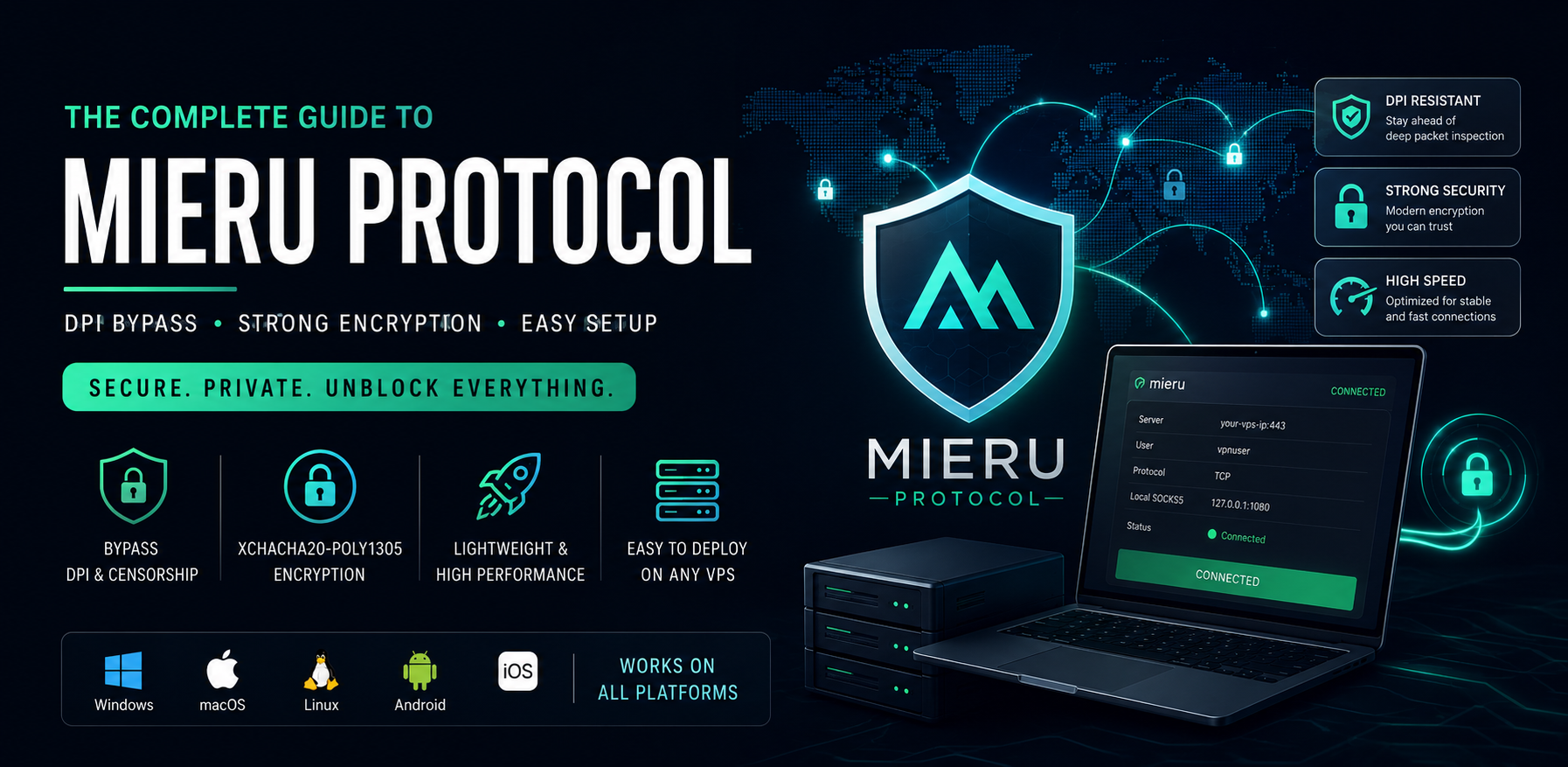
Mieru Protocol Explained: The Complete Guide to Setup, DPI Bypass, and Real-World Usage in 2026

The Ultimate Guide to Mieru Protocol: Bypassing DPI in 2026 1. Introduction Mieru (which translates to "to see" in Japanese) is a next-generation proxy and anti-censorship tool designed specifically to defeat the most sophisticated Deep Packet Inspection (DPI) systems. While older protocols struggle against modern firewalls, Mieru steps in as a lightweight, highly secure SOCKS5, HTTP, and HTTPS proxy solution. If you are looking for a reliable way to bypass restrictive networks without the heavy overhead of complex routing frameworks, Mieru is quickly becoming the protocol of choice. 2. Protocol Info At its core, Mieru is designed for high performance and flexibility, offering support for both TCP and UDP transport protocols. Data Fragmentation: When Mieru receives a network request, it doesn't just pass it along as a massive file. It chunks the original data stream into smaller, manageable segments before encapsulating them. Time-Sensitive Synchronization: The protocol relies on system time for key generation. The time difference between the client and the server must not exceed 4 minutes, ensuring that replay attacks are heavily mitigated. TCP vs. UDP: While UDP is fully supported (including for SOCKS5 UDP associate packets), the TCP protocol is generally recommended for speed, as UDP requires more decryption attempts on the server side. 3. Encryption Info Mieru takes security incredibly seriously by utilizing modern, high-speed cryptographic standards. AEAD Algorithm: It strictly uses the XChaCha20-Poly1305 algorithm, known for its exceptional performance on devices without dedicated cryptographic hardware (like mobile phones and cheap routers). Key Generation: Security keys are generated using the PBKDF2 algorithm. The protocol takes the user's password, appends a 0x00 byte, adds the username, and hashes it using SHA-256. Dynamic Nonce: The encryption utilizes a 24-byte nonce. To speed up user lookups on the server, the last 4 bytes of the nonce are replaced by a SHA-256 hash of the username and the first 16 bytes of the nonce. This ensures both airtight security and rapid connection establishment. 4. Compare to Other Protocols How does Mieru stack up against the heavyweights of the VPN and proxy world? Feature Mieru V2Ray (VLESS/Xray) WireGuard Shadowsocks Primary Focus DPI Evasion via Entropy Traffic Camouflage (TLS) High-Speed VPN Basic Proxy DPI Resistance Very High Very High Low (Easily Blocked) Moderate Setup Complexity Low to Moderate High Low Low Encryption XChaCha20-Poly1305 AES/ChaCha/TLS ChaCha20-Poly1305 Various While WireGuard is fantastic for secure tunneling, it has a distinct signature that modern firewalls can easily identify and block. V2Ray/Xray are incredibly powerful, but they require domain names, SSL certificates, and complex server configurations. Mieru hits the sweet spot: it offers the DPI-defeating power of Xray with the simple, self-contained setup of Shadowsocks. 5. How You Can Use This Protocol Using Mieru operates on a classic client-server model. Once the server is running, you run the Mieru client on your local machine. The client exposes a local proxy port (e.g., 127.0.0.1:1080). You can then route your traffic through this local port using: Browser Extensions: Use extensions like SwitchyOmega to proxy your web browsing exclusively. OS Settings: Set your system-wide proxy to point to the Mieru client. Proxy Chains: Mieru natively supports outbound proxying, allowing you to chain it with other tools (like Cloudflare CDNs) for an extra layer of anonymity. 6. How This Protocol Bypasses DPI Modern firewalls use Deep Packet Inspection to look for protocol signatures and analyze information entropy (how random the data looks). If traffic looks too perfectly encrypted or matches a known handshake pattern, it gets dropped. Mieru bypasses this by actively manipulating the data segments before they hit the network: Random Padding: It injects randomly generated, non-encrypted content (referred to as Padding 0, 1, and 2) into the data segments. Entropy Adjustment: By carefully adjusting these padding bytes, Mieru alters the overall information entropy of the packet. Printable Character Masking: It intentionally modifies the length of consecutive printable characters. This confuses DPI systems, making the data stream look like harmless, unstructured background noise rather than an active VPN tunnel. 7. Which Users Can Use This Mieru is highly recommended for: Users in heavily censored regions: Individuals in countries with national firewalls who need reliable, unthrottled access to the global internet. Privacy Advocates: Users on restrictive corporate, public, or campus networks looking to bypass local filters. Security Researchers: IT professionals who want a lightweight, cryptographically secure tunnel without the overhead of maintaining TLS web servers. 8. How to Setup (Complete Guide with Resources) Setting up Mieru involves running the server application (mita) on a Linux VPS and the client application (mieru) on your local machine. Step 1: Server Setup (mita) Download the Release: Go to the Official Mieru GitHub Releases page and download the latest mita-linux-amd64 binary for your VPS. Configure: Create a config.json file on your server to define the port and credentials: { "portBindings": [{"port": 443, "protocol": "TCP"}], "users": [{"name": "your_username", "password": "your_secure_password"}] } Run: Apply the configuration and start the server by running: ./mita apply config config.json Step 2: Client Setup (mieru) Download the Client: From the same Mieru GitHub repository, download the mieru client binary for your operating system (Windows, macOS, or Linux). Configure: Create a client.json file locally: { "serverAddress": "YOUR_VPS_IP:443", "username": "your_username", "password": "your_secure_password", "socks5Port": 1080, "transport": "TCP" } Connect: Run ./mieru apply config client.json in your terminal. You can now point your system or browser's SOCKS5 proxy settings to 127.0.0.1:1080. 9. Best Clients for All Platforms While the official CLI is great for power users, the open-source community has rapidly integrated Mieru into major graphical clients. Here are the best options and where to find them: Desktop (Windows, macOS, Linux) Hiddify Next: This is currently the most user-friendly GUI client available that supports Mieru out of the box, alongside VLESS, Trojan, and WireGuard. Resource: Hiddify Next on GitHub NekoBox / NekoRay: An advanced proxy tool utilizing the sing-box core, perfect for managing complex routing rules and multiple servers. Resource: NekoRay on GitHub Official Mieru CLI: Best for headless setups or running in the background without a GUI. Resource: Mieru GitHub Mobile (Android & iOS) Hiddify (iOS & Android): The easiest mobile client for Mieru. It allows you to import configurations via a simple QR code or clipboard link. Resource (Android): Hiddify on Google Play Resource (iOS): Hiddify on the App Store Sing-box: A highly efficient universal proxy platform. Setting it up requires a bit more technical knowledge of JSON formatting, but it offers unparalleled stability. Resource: Sing-box on GitHub Is Mieru Best for Iran, Russia, and China? When evaluating Mieru for the world's most sophisticated national firewalls, it is highly effective, though the "best" protocol depends heavily on the specific blocking mechanisms of the region at any given time. Here is how Mieru performs in the big three: 1. China (The Great Firewall / GFW) Effectiveness: Very High. The GFW relies heavily on active probing and TLS fingerprinting (blocking traffic that looks like unauthorized HTTPS or recognizing older proxy handshakes). Mieru's approach—scrambling data entropy and masking printable characters—makes its traffic look like completely unrecognizable, random background noise. Because it doesn't rely on standard TLS certificates, it is incredibly difficult for the GFW to categorize and block it via automated DPI. 2. Iran (National Information Network / NIN) Effectiveness: High. Iran's censorship infrastructure frequently employs aggressive "whitelist-only" or massive IP blocking during protests, alongside DPI that throttles recognized VPN protocols like OpenVPN or WireGuard. Mieru easily bypasses the DPI throttling because its packets do not match any known VPN signature. However, if the Iranian firewall drops to a strict whitelist mode (blocking all non-domestic IPs regardless of protocol), Mieru will require a domestic relay server (a server inside Iran forwarding traffic to your VPS outside) to function optimally. 3. Russia (Roskomnadzor / TSPU) Effectiveness: Very High. Russia's DPI equipment (TSPU) deployed at the ISP level is notoriously good at identifying and blocking WireGuard, OpenVPN, and standard Shadowsocks by analyzing packet sizes and handshake structures. Mieru was designed specifically to defeat this kind of structural analysis. By injecting random padding and dynamically altering packet sizes, Mieru prevents TSPU hardware from generating a reliable fingerprint, making it an excellent choice for users in Russia. Summary: Mieru is a top-tier choice for all three countries right now because it targets the fundamental way modern DPI systems analyze data (entropy and structural signatures). While VLESS/Xray with Reality is also an excellent option for these regions, Mieru provides comparable DPI resistance with a significantly simpler server-side setup. 10. Will VPN Server Hubs Provide Support in the Future? Currently, Mieru is championed by open-source proxy platforms and self-hosters. However, as DPI systems become more aggressive at blocking mainstream protocols like OpenVPN and WireGuard, commercial VPN Server Hubs and multi-protocol proxy panels (like 3X-UI or Marzban) are highly likely to integrate Mieru natively in the near future. Its lightweight nature makes it incredibly cost-effective for commercial providers to run on their nodes. 11. Conclusion The Mieru protocol is a brilliant, highly specialized tool for defeating internet censorship. By utilizing cutting-edge XChaCha20-Poly1305 encryption and uniquely manipulating data entropy, it slips past DPI filters that catch older protocols. Whether you are navigating a national firewall or just looking for a secure, fast tunnel for your daily browsing, Mieru is a protocol worth adding to your networking toolkit. If you prefer a visual walkthrough of the installation and configuration process, this NaiveProxy and Mieru - A Guide to New Proxies video is highly relevant as it guides you through setting up a Mieru server from scratch.

Read Article
IP Address
Technical Guides & Tutorials

WireGuard vs. V2Ray vs. OpenVPN: Which is the Best Protocol for 2026?

WireGuard vs. V2Ray vs. OpenVPN: Which is the Best Protocol for 2026?Choosing a VPN protocol used to be a two-horse race between OpenVPN and WireGuard. But as digital censorship evolves and the need for speed increases, V2Ray has entered the ring as a heavyweight contender.If you’re managing a server on a VPN platform or just trying to secure your home network, understanding these three is critical. Let’s break down the performance, security, and "stealth" of 2026’s top protocols.1. WireGuard: The Speed KingWireGuard has officially become the industry standard for modern VPNs. Its biggest selling point is its minimalist codebase—roughly 4,000 lines of code compared to OpenVPN’s 100,000+.Why You’ll Love It:Blazing Speed: WireGuard is consistently 3–4x faster than OpenVPN. It’s the go-to for 4K streaming and low-latency gaming.Instant Connection: Ever waited 5–10 seconds for a VPN to "handshake"? WireGuard connects in milliseconds.Battery Efficient: Because it's lightweight, it won't drain your smartphone battery like older protocols.The Trade-off:WireGuard is fast, but it’s "loud." It uses a fixed set of modern cryptography (ChaCha20) that is easy for advanced firewalls (like the Great Firewall) to identify and block.2. V2Ray: The Stealth SpecialistV2Ray (part of Project V) isn't just a protocol; it's a platform. It is specifically designed to bypass Deep Packet Inspection (DPI). If you are in a region where VPNs are throttled or blocked, V2Ray is your best friend.Why You’ll Love It:Unmatched Obfuscation: V2Ray can disguise your VPN traffic as regular HTTPS web browsing or even a video stream.VLESS & VMess: These sub-protocols offer "weightless" encryption, meaning you get high security without the heavy performance tax.Censorship Resistance: It’s currently the most effective tool for bypassing strict national firewalls in 2026.The Trade-off:It is significantly more complex to set up than WireGuard. If you’re a beginner, the configuration files can look like a foreign language.3. OpenVPN: The Reliable VeteranOpenVPN is the "old reliable" of the group. While it’s no longer the fastest, it remains the most flexible and widely supported protocol in existence.Why You’ll Love It:High Compatibility: Almost every router and OS on the planet supports OpenVPN.TCP vs. UDP: You can switch to TCP Port 443 to make your traffic look like standard SSL, which helps in bypassing basic office or school firewalls.Battle-Tested: It has been audited more than any other protocol, making it a favorite for enterprise-level security.The Trade-off:It’s slow. On high-speed 1Gbps connections, OpenVPN often struggles to keep up due to high CPU overhead.Comparison at a GlanceFeature WireGuard V2Ray OpenVPNSpeed 🚀 Ultra Fast ⚡ Fast 🐢 ModerateBypassing Blocks ❌ Weak ✅ Elite 🟡 Good (via TCP)Ease of Use ✅ Very Easy ❌ Complex 🟡 ModerateSecurity 🛡️ Modern 🛡️ Modern 🛡️ ProvenBest For Gaming / Streaming Bypassing Censorship Routers / BusinessFinal Verdict: Which One Should You Use?Choose WireGuard if: You want the fastest speeds for daily browsing, gaming, or Netflix, and you live in a country without heavy internet restrictions.Choose V2Ray if: You are struggling with "VPN blocks" or live in a highly censored region. It is the gold standard for stealth.Choose OpenVPN if: You are setting up a VPN on an older router or need a highly customized, stable connection for a business environment.

Read Article